
Creating a Clutter-Free Workspace: Organization Ideas for Enhanced Productivity
The Hidden Costs of Clutter
Piles of paper, tangled cables, and a desk drawer that never quite closes right—sound familiar? These are common sights for millions of Americans working from home offices, spare bedrooms, or even shared apartments. Clutter can stealthily morph into an unwelcome distraction that undermines focus and productivity. Without realizing it, your workspace might be morphing into a minefield of visual distractions, which can significantly impede performance.
Research conducted by Princeton University’s Neuroscience Institute highlights the profound impact of visual clutter on cognitive function. Their findings suggest that clutter competes for attention, essentially overwhelming the brain’s ability to process information effectively. For example, if you’re trying to draft an important report while glancing at a mountain of unfiled documents, you’re likely to find your thoughts scattered. This mental distraction isn’t just an inconvenience; it’s a productivity leak that can quickly escalate into a significant time drain.
Building a Clutter-Free Workspace
Building a Clutter-Free Workspace is not merely about aesthetics; it’s a strategic move that can enhance mental clarity and efficiency. Imagine being able to locate that essential contract without sifting through messy stacks of paper. A well-organized desk fosters not only productivity but also a sense of calm and focus. Here, we delve into practical workspace organization ideas designed for real-life scenarios, avoiding Pinterest-perfect but impractical fantasies.
Practical Tips for an Organized Workspace
- Decluttering techniques: Start the process by sorting items into three categories: keep, toss, and donate. This can be particularly useful in home offices of any size, allowing you to reclaim space by eliminating unnecessary items.
- Smart storage solutions: For those in smaller spaces, consider vertical shelving or multifunctional furniture like desks with built-in storage. This maximizes your floor space while keeping essentials close at hand.
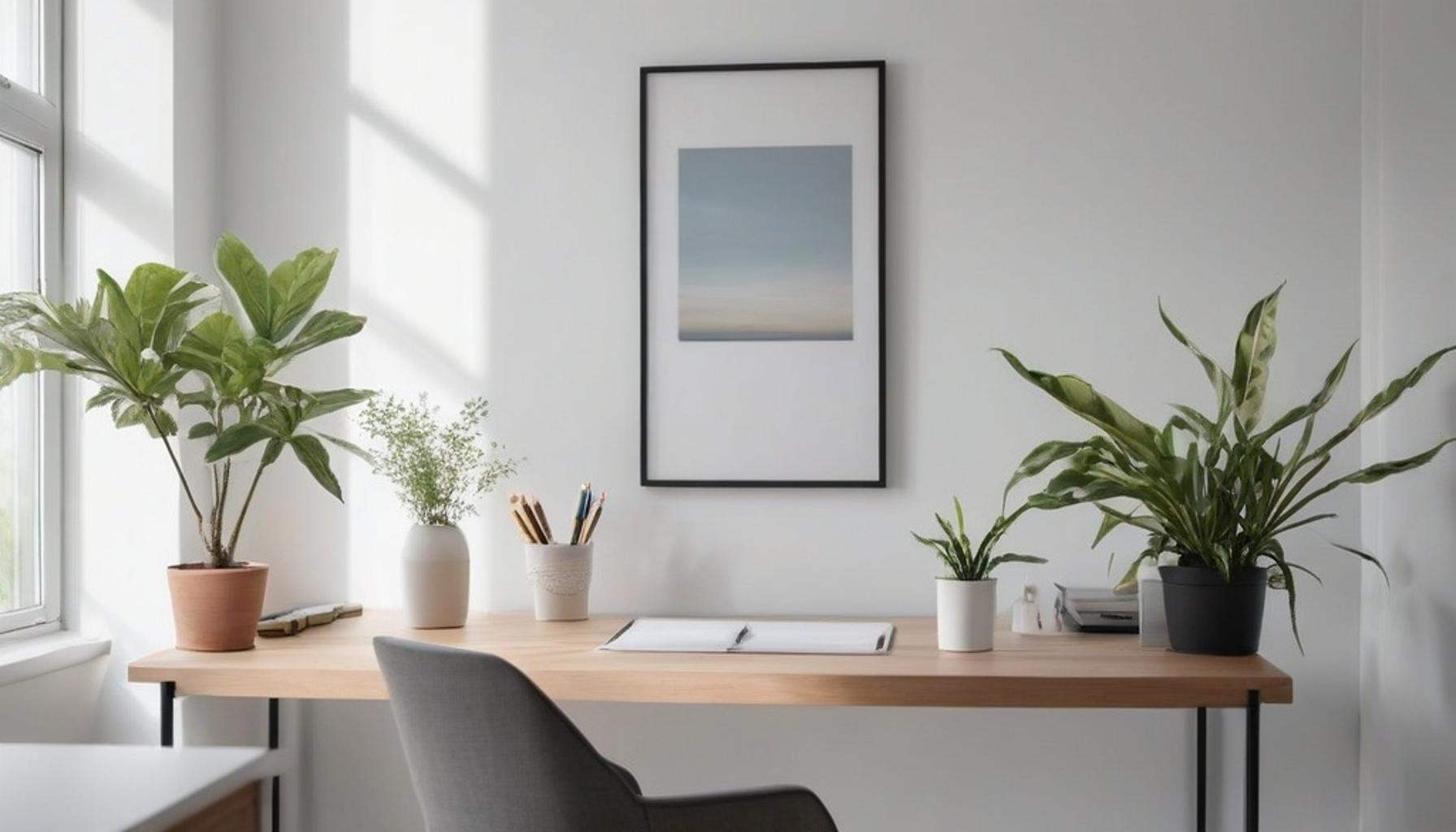
- Minimalist workspace solutions: Choose only a few essential decorative items that inspire you while eliminating visual noise. A simple plant or a framed photo can add personal touch without overwhelming the senses.
- Digital organization strategies: To tackle inbox overload, employ tools like folders and tags in your email client. Schedule regular times to clear your inbox, ensuring your digital space mirrors the cleanliness of your physical desk.
- Daily habits: Incorporate small, daily decluttering rituals, such as tidying up at the end of each workday to keep clutter from reestablishing its foothold.
Regardless of whether your workspace is a corner nook in Brooklyn or a sprawling home office in Austin, the principles of effective workspace design for productivity transcend geography. The rules for a productive environment remain surprisingly universal, paving the way for nearly anyone to create a space that fosters concentration and efficiency.
Ready to reclaim your desk—and your focus? These enhanced productivity tips provide a solid starting point for transforming chaos into calm, one drawer at a time. After all, a tidy desk could very well be your most effective productivity hack.
DISCOVER MORE: Click here to enhance your kitchen style
Mapping Out Your Zones: The Foundation of Workspace Design for Productivity
Before you buy a single storage bin or organizer, it pays to think like an architect. Effective workspace design for productivity starts with zoning—dividing your desk and surrounding area into functional sections based on how you actually work, not how a magazine spread suggests you should. A 2022 study from the American Society of Interior Designers found that employees in zoned, purpose-driven layouts reported a 23% increase in perceived efficiency compared to those working in undivided, catch-all spaces. This striking statistic highlights the importance of intentional design in fostering an effective work environment.
To truly enhance your productivity, it is essential to consider your own routine. For instance, do you have moments filled with video calls in the mornings and periods of focused document drafting in the afternoons? Your workspace should reflect this rhythm, leading you to break it down into core functional zones that cater to your specific tasks and workflow.
- Active zone: This is the area directly in front of you, reserved solely for what you’re currently working on—this could include your laptop, a notepad, a coffee mug, or even a plant for a touch of greenery. The key here is to keep this zone uncluttered; nothing else belongs here. A clean active zone allows for enhanced focus and minimizes distractions, so you stay in the flow of your work.
- Reference zone: A side space for materials you need occasionally. This can encompass reference books, printed guides, a secondary monitor, or even project boards. Having these tools readily accessible, but not in the way, ensures that when you need to shift gears for a different task, everything is organized and easy to find.
- Storage zone: Within this designated area, you can house drawers, shelves, or bins for supplies and documents that you use weekly but don’t necessarily need within arm’s reach. This might include spare stationery, old project files, or tools that enhance your work but aren’t part of your daily routine.
- Archive zone: The archive zone is designated for filing cabinets or digital folders where completed projects and records are stored. These items are rarely touched, but they can’t simply be discarded. An orderly archive zone not only declutters your immediate space but can also save you time in future searches for old materials.
This structured approach isn’t just theoretical. A freelance graphic designer in Portland, Oregon, recently shared how splitting her 90-square-foot home office into these four zones cut her daily search time for materials by nearly half. Instead of shuffling papers across her entire desk trying to locate the right notebook, she now knows exactly where to look. Her deliberate zoning has enhanced her workflow significantly.
Decluttering Techniques for Home Office Setups
Once you have established these zones, the real work begins: paring down the contents that occupy each one. People often stumble with decluttering techniques for home office environments because they mistakenly attempt to organize clutter instead of eliminating it first. Remember, organizing a pile of unnecessary items is still clutter—just neater clutter.
Try adopting the “one-touch rule” for incoming items. When mail, invoices, or supplies enter your workspace, handle them immediately: file it, act on it, or trash it. Avoid the common trap of setting items down “for later”—that rarely leads to a tidy workspace as the pile grows unmanageable over time.
Another effective method borrowed from professional organizers is the 90-second decision rule. If you can’t conclude whether to keep an item within 90 seconds, it likely isn’t essential to your daily productivity. This approach effectively wards off decision fatigue, allowing you to maintain momentum during decluttering sessions.
A Clutter-Free Workspace isn’t achieved through one dramatic overhaul; it is built through consistent, zone-specific habits that prevent chaos from creeping back in. Once your zones are defined and decluttered, the next exciting step is to furnish these areas with the right tools. This is where strategic storage solutions can truly make a difference, transforming your workspace into a haven for productivity and creativity.
DISCOVER MORE: Click here to explore minimalist kitchen ideas
Storage Solutions and Digital Habits That Sustain a Minimalist Workspace
With zones mapped and clutter cleared, the next challenge is choosing tools that keep chaos from returning. Many people invest in storage products without asking whether those items suit their specific workflow, which often results in yet another layer of clutter disguised as organization. Genuine minimalist workspace solutions favor multipurpose, adjustable furniture over single-use gadgets.
Vertical storage remains one of the most underused strategies in American home offices. Wall-mounted shelves, pegboards, and magnetic strips free up desk real estate while keeping supplies visible. According to a 2023 survey by the National Association of Professional Organizers, respondents who incorporated vertical storage reported spending 31% less time searching for office supplies compared to those relying solely on desktop organizers.
Consider these practical additions when building out your storage zone:
- Modular drawer units: These allow you to reconfigure compartments as your projects evolve, rather than committing to fixed dividers that quickly become mismatched with your needs.
- Cable management trays: Tangled cords are a leading contributor to visual clutter. A simple under-desk tray or clip system can eliminate this problem almost instantly.
- Label makers or color-coded folders: Assigning a consistent labeling system to your archive and reference zones reduces the mental load of remembering where things belong.
- Rolling carts: For those working in multifunctional rooms, such as a dining room converted into an office, a rolling cart allows you to pack away supplies at the end of the day without dismantling your entire setup.
Physical clutter, however, is only part of the equation. Digital disorganization can be just as draining, if not more so, since it often goes unnoticed until a missed deadline reveals the problem. A 2021 report from McKinsey found that employees spend nearly 1.8 hours daily searching for information buried in emails, shared drives, or poorly labeled files. That adds up to roughly nine hours a week lost to digital clutter alone.
To counter this, apply the same zoning logic to your desktop and cloud storage. Create clearly named folders for active projects, references, and archives, mirroring your physical layout. Set a recurring 15-minute weekly review to delete outdated files and reorganize new ones before they accumulate.
Many productivity consultants also recommend the “two-minute digital tidy,” a quick habit performed at the end of each workday: closing unused tabs, clearing downloads folders, and filing loose desktop icons. This small ritual, much like straightening your physical desk before leaving, prevents digital buildup from becoming overwhelming.
These workspace organization ideas and enhanced productivity tips work best when treated as ongoing systems rather than one-time fixes. A well-designed storage setup paired with consistent digital habits creates a feedback loop, reinforcing the same intentionality that shaped your original zoning strategy and keeping your space genuinely functional over time.
Building a Workspace That Works for the Long Run
Creating a clutter-free workspace is not a weekend project with a finish line. It is an evolving relationship between your environment and your work habits, one that requires periodic reassessment as job demands, tools, and routines shift over time.
Throughout this discussion, one theme surfaces repeatedly: intentionality outperforms aesthetics. A desk that looks pristine but lacks functional zoning will not deliver the same results as a slightly imperfect setup built around how you actually work. The most effective workspace organization ideas are the ones tailored to individual workflows rather than borrowed wholesale from a magazine spread or social media trend.
Consider revisiting your setup every quarter. Ask whether your current zones still reflect your priorities, whether your storage system has quietly become another source of clutter, and whether your digital habits have slipped since you first established them. Small audits like these prevent the slow creep of disorganization that eventually demands a full overhaul.
It is also worth remembering that productivity gains from an organized space are cumulative. Shaving a few minutes off searching for a document or a stapler may seem trivial in isolation, but multiplied across a five-day workweek and fifty working weeks a year, those minutes translate into hours reclaimed for meaningful tasks.
For readers ready to take the next step, start small. Choose one decluttering technique for home office spaces discussed here, whether it is vertical storage, a digital tidy ritual, or a simple zoning map, and implement it this week. Momentum matters more than perfection.
Ultimately, thoughtful workspace design for productivity is less about eliminating every object and more about ensuring every object earns its place. That distinction, simple as it sounds, is what separates a truly functional office from one that merely looks organized.
Frequently Asked Questions
What are the first steps to creating a clutter-free workspace?
Start by decluttering your desk and removing all items that are not necessary for your daily tasks. Categorize your belongings into keep, donate, or discard piles. This will help you evaluate what you truly need and lay the foundation for an organized space.
How can I maintain a clutter-free workspace on a daily basis?
Implement the ‘one-in, one-out’ rule: for every new item you bring in, remove one item. Schedule regular clean-up sessions, such as once a week, to keep everything in its designated place. Additionally, make it a habit to clear off your desk at the end of each day.
What organizational tools can assist in achieving a clutter-free workspace?
Utilize storage solutions like drawer organizers, file cabinets, and desktop trays to help keep your materials organized. Digital tools, such as task management apps and cloud storage, can also reduce physical clutter by keeping documents and assignments organized virtually.
How does a clutter-free workspace improve productivity?
A clutter-free workspace minimizes distractions and creates a more focused environment, allowing you to concentrate on your tasks. It can also reduce stress and promote clearer thinking, leading to improved efficiency and creativity in your work.
What is the role of color and lighting in creating an organized workspace?
Color schemes can influence your mood and productivity levels. Opt for calming colors like blues and greens for a serene atmosphere, while ensuring your workspace is well-lit—natural light is ideal, but bright white bulbs can also enhance focus and reduce eye strain.
Can I have personal items in a clutter-free workspace?
Yes, you can have personal items, but it’s essential to limit them to a few meaningful pieces that inspire you and reflect your personality. Aim to keep these items neatly arranged and away from essential work tools to maintain a professional and organized appearance.

Beatriz
Beatriz Johnson is a seasoned minimalist and writer with a passion for simplifying the complexities of personal organization and intentional living. With over a decade of experience in decluttering strategies and mindful consumption, she specializes in topics like space optimization, habit simplification, and sustainable lifestyle choices. Through her work on our website, Beatriz empowers readers to embrace minimalism, reduce mental and physical clutter, and create more meaningful, organized lives in today's fast-paced world.